No. 01 · AnnualBest price
$10a vehicle a month
Billed yearly: $120 per vehicle.
- Drivers
- Free
- Office
- Free
- iBeacon
- 1 free USB per vehicle
30-day money-backStart your crew
For trade businesses with a few vehicles on the road
Organise the crews and vehicles. See where everyone is through the work day. Send jobs with the plans attached, hear back as they get done, and sign off the hours. All on one screen.
End of the day
$10 a vehicle a month, billed yearly. Drivers and office seats free.
Turn sideways, then tap ⛶ for full screen
Drivers and office seats are free.
Billed yearly: $120 per vehicle.
No yearly bill. Stop when you like.
Free with yearly, one per vehicle. $50 each on monthly.
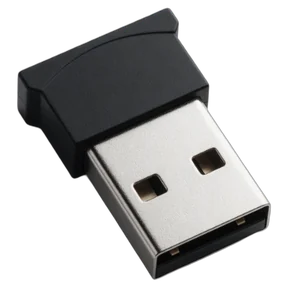
Plugs into the vehicle's USB or 12 V socket, so there's nothing to charge. Your driver's phone picks it up and the work trip starts. Posted free in Australia.
About the iBeacon →It's for running the day, not checking up on people. Personal trips never show.
Live map stays off until you turn it on in Settings, once your crew has been told in writing. With it on, someone moves on the map only during a work trip their vehicle's iBeacon started. With it off, anyone clocked on shows at the last place the map knows: where they clocked on, the job they're at, or where today's last work trip ended. Clock-on location is off too until you turn it on, and then it notes a place only at the tap.
An iPhone or Android phone with the free LogPoint app, and a beacon in each vehicle. They join by scanning the poster in the lunchroom, or by typing the crew code into the app.
An afternoon. Name your vehicles, put a beacon in each one and stick the join poster up. Then drag people and vehicles into crews and send the first job.
Yes. Make them a team leader and they see their own crew on the map, and send it jobs and Job Packs. Managers see the whole business. Only you, as director, change settings and who has access.
Set it up this afternoon. Tomorrow, run the whole crew from one screen.